Justin Guitar Lessons & Songs
- 4.5
- Rating
- 1.00M
- Installs
- Free
- Price

 Analysis by App-foxy
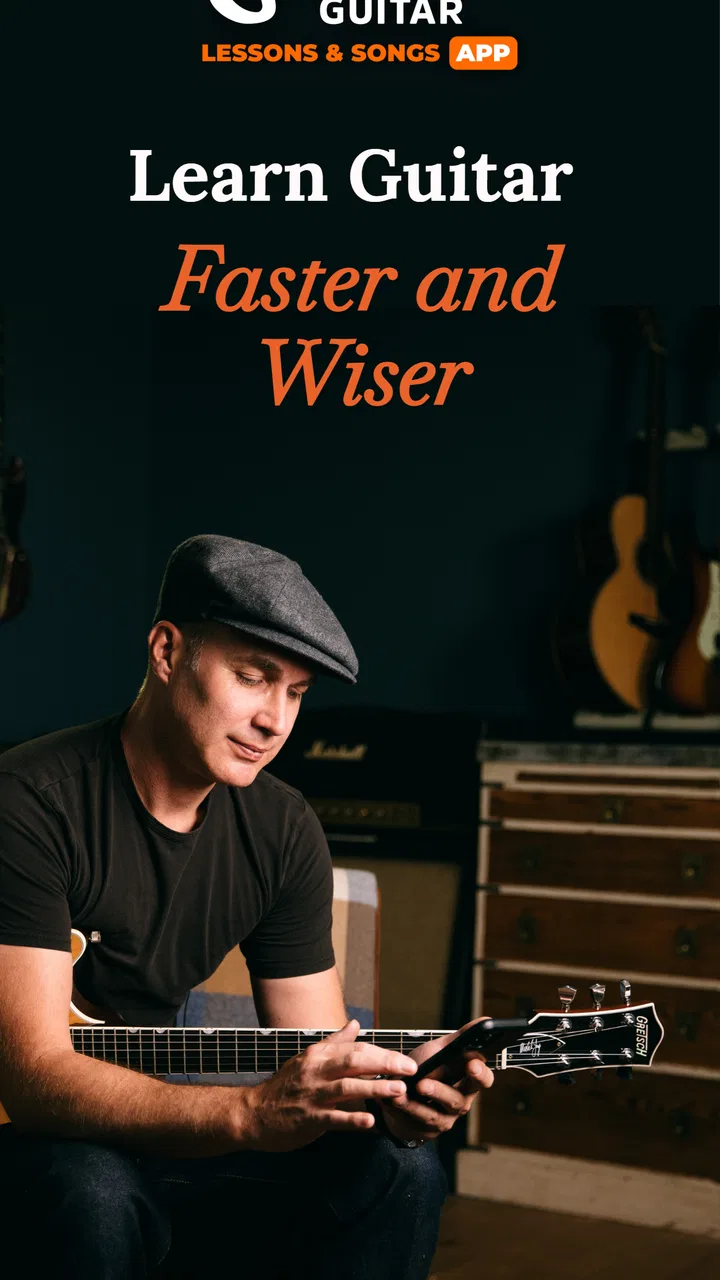
Learning guitar often fails for a simple reason: the instrument is sitting nearby, but the first step feels unclear. Justin Guitar Lessons & Songs is designed to make that first step less intimidating by putting beginner lessons, chord practice, and song-based learning into one education app. I found its biggest strength in the way it gives a new player a direction instead of leaving them to search randomly through videos.
Musopia develops the app, which is free to install and aimed at Teen users. It has built a sizeable audience, with more than a million installs, an average rating of 4.4 from roughly twenty-four thousand ratings, and about two thousand nine hundred written reviews. Those figures suggest that it has become a familiar starting point for many learners, but popularity alone does not make a guitar lesson useful. What matters is whether the app helps you pick up the guitar, understand what to do, and return often enough to build a habit.
After spending time with it, my view is that this is most useful for a complete beginner who wants a guided route rather than a library of disconnected tutorials. It is less convincing for an experienced guitarist seeking detailed theory, advanced technique, or highly personalized feedback. The free entry point is welcoming, although optional purchases can range from a small amount to considerably more per item, so I would explore the learning flow before paying for anything.
You May Also Like

 Blood Strike: 2.5 Anniversary
Blood Strike’s Loadouts Turn Every Drop Into a Tactical Gamble
A close look at Blood Strike’s custom loadouts: how fast access to signature weapons reshapes its battle royale rhythm, rewards preparation, and narrows the gap between fights.

 Pandora - Music & Podcasts
Pandora’s Music Is Easy to Start, but Harder to Recover
Pandora’s strength is its low-effort path from a seed to a station. Its weak spot is how much confidence it asks you to place in connection, setup, and quiet recovery.

 8 Ball Pool
 Is Built on Rivalries, Rematches, and Routine
A close look at the rivalries, rematches, shared routines, and unanswered safety questions that turn a quick pool match into a persistent mobile community.

 Samsung Music
’s Quiet Strength Is Playing What You Already Own
Its reach comes less from spectacle than from dependable access to a personal library. That simplicity is both the app’s strongest retention engine and its ceiling.

 AccuWeather: Weather Radar
AccuWeather Review: A Quick, Clear Forecast for Everyday Decisions
For everyday plans, the best forecast is the one you can understand quickly. AccuWeather makes rain timing, radar, and local conditions easy to act on, with a few trade-offs.

 Hill Climb Racing
Why Hill Climb Racing Still Turns Crashes Into One More Run
A tiny car, a bumpy hill and one more upgrade: Hill Climb Racing keeps resurfacing because its simple chaos makes every near-miss feel personal.
More From Our News Desk



What the first session feels like
The app’s tone is reassuring rather than academic. Instead of assuming that you already know how to hold the instrument, it treats guitar learning as a sequence of small actions. That matters because beginners usually struggle with several things at once: finger placement, changing between chords, keeping a steady rhythm, and remembering what to practice next.
I would not approach this as an app that magically teaches you guitar while you watch. The useful part begins when you put the phone down beside you, pick up the instrument, and copy the movement. The screen can explain a chord or demonstrate a pattern, but your fingers still need repeated practice. The app works best as a coach for the next exercise, not as a replacement for playing.
The store positions it around learning guitar chords with a teacher, and that emphasis is important. Chords are one of the first obstacles for a new player because they require several fingers to cooperate at once. A beginner may understand a diagram but still produce muted strings or buzzing notes. The lessons are most valuable when you use them to slow down, inspect the shape, and repeat the change until it becomes less awkward.
One practical expectation is worth setting early: your first meaningful success may not be playing an entire song smoothly. It may be forming one chord cleanly, switching between two shapes without stopping, or keeping a simple rhythm for a short stretch. I consider those real victories. If you judge the app only by whether you can perform immediately, you may abandon it before the muscle memory has time to develop.
Who will get the most from it
I would recommend it to someone who has just bought a guitar, borrowed one from a friend, or returned to the instrument after years away. It also suits learners who become overwhelmed by ordinary video platforms. Search-based learning gives you too many choices: one creator explains chords, another explains tuning, and a third jumps into songs that are far beyond your current level. A structured lesson path can remove that decision fatigue.
It can also work well for a casual player with a narrow goal, such as learning enough chords to accompany singing. The song focus gives practice a reason, which is more motivating than repeating shapes with no musical context. Even if you only have a few minutes, you can make the session purposeful by revisiting one chord transition instead of opening the app and browsing aimlessly.
I would be more cautious if you already play confidently. The beginner orientation may feel slow, and a player who wants jazz harmony, improvisation, reading notation, fingerstyle arrangements, or detailed performance critique will probably need a more specialized resource. A local teacher is also a better choice when posture, tension, or a persistent technical problem needs someone to observe directly.
Setting it up without overthinking it
The application supports devices running Android 7.0 or later, so it is available on a wide range of Android phones and tablets. Once installed, I suggest placing the phone where you can see the lesson without constantly reaching for it. A stable surface is better than holding the device in one hand while trying to play with the other.
Before beginning a lesson, keep the guitar close and make the environment easy on yourself. A chair with enough room for the instrument is more useful than a perfect studio setup. If you are using an acoustic guitar, choose a volume level that lets you hear both the strings and the lesson. If the guitar is electric, make sure the sound is comfortable rather than so loud that you focus on volume instead of technique.
The first setup should also include a realistic time decision. Do not begin with the assumption that every session must be long. A short, focused practice block is easier to repeat than an ambitious session that leaves your fingertips tired and your attention scattered. I prefer opening the app with one intention, such as learning a chord shape or practicing a transition, rather than trying to complete everything visible on the screen.
Because the app is free, you can test whether its teaching style suits you before committing money. The presence of in-app purchases, listed from $2.49 to $249.99 per item, makes it especially important to understand what you are unlocking before confirming a purchase. I would treat the free experience as an audition: check whether the explanations make sense, whether the pace feels comfortable, and whether you can imagine returning tomorrow.
Your first useful action on the guitar
For a first session, I recommend choosing one basic chord and making the goal very specific: place the fingers, lightly touch each string in turn, and listen for which notes sound clear. This is more useful than rushing into a song and repeatedly stopping at the same shape. If one string is muted, adjust one finger at a time instead of squeezing harder with the whole hand.
After that, practice a pair of chords rather than collecting a long list. Form the first shape, release your hand, form the second, and repeat slowly. The point is not speed. You are teaching your hand where to go. The app’s lesson structure helps here because it gives you a guided subject to work on instead of forcing you to invent an exercise.
A good everyday scenario is a learner who gets home from work or school, opens the app for a short lesson, and spends the rest of the session repeating the same transition. The phone provides the explanation, but the guitar provides the evidence. If the change becomes cleaner by the end, that is progress even if no song sounds polished yet.
Once the chord movement feels less foreign, bring in a simple rhythm. Keep the strumming deliberately plain and concentrate on staying steady. Beginners often make the mistake of adding complicated patterns before their chord changes are reliable. I found it more productive to protect the beat, accept a slower tempo, and let the left hand catch up gradually.
There is a useful distinction between watching a demonstration and completing an exercise. Watching can create the feeling that the material is familiar, but familiarity is not the same as control. I recommend pausing mentally after each explanation and asking whether you can reproduce the action without looking. If not, replaying the lesson may help, but only if you immediately return to the guitar and try it yourself.
Where beginners may feel confused
The most common confusion is expecting a chord diagram to explain every physical detail. A diagram can show where fingers belong, but it may not solve problems caused by thumb position, wrist angle, excess pressure, or a finger leaning across another string. When a chord sounds wrong, change one variable at a time. Move a fingertip closer to the fret, relax your grip, and check each string separately.
Another trap is moving through lessons because the material looks easy while skipping repetition. Guitar progress is uneven. You may understand a chord immediately but need many sessions before the change becomes automatic. I would rather repeat a manageable exercise until it feels dependable than advance quickly and build a habit of stopping before every chord.
Song learning can create a different kind of confusion. A song may appear beginner-friendly because it uses a small group of chords, yet the rhythm or speed can still make it difficult. If that happens, separate the ingredients. Practice the chord sequence without singing, then practice the rhythm on muted strings, and only combine them when both parts feel manageable. This workflow turns a frustrating song into several smaller tasks.
It is also easy to mistake sore fingertips for a sign that you are failing. Some discomfort can occur when a new player begins, but pain is a reason to stop and reassess rather than push through. Shorter sessions, lighter pressure, and regular breaks are sensible. The app can guide the lesson, but it cannot inspect your hand or tell whether your posture is creating strain.
Some learners may wonder whether they need musical knowledge before starting. In my experience, you do not need to understand notation or music theory to benefit from the beginner path. You do need patience and a willingness to repeat basic movements. If your main goal is to understand why chords work together, you may eventually want a separate theory resource, but that does not prevent you from beginning here.
How to turn lessons into a routine
The strongest workflow I found is a simple three-part cycle. First, use the lesson to understand the task. Second, spend most of the session playing rather than watching. Third, finish by noting the one movement that still feels unreliable. On the next visit, begin with that weak point before moving forward. This prevents the app from becoming a passive video queue.
Keep the guitar visible if possible. A case in a closet creates an extra barrier, while an instrument already positioned safely in the room invites a quick practice session. The app is particularly suited to this kind of low-friction routine because you can use it as a prompt: open it, choose the next guided activity, and start playing before you have time to talk yourself out of it.
Another non-obvious tip is to alternate technical practice with musical practice. Spend one session on clean chord shapes and transitions, then use the next session to apply them in a song. Technical work builds control; songs reveal where that control breaks down. Doing only one or the other can be discouraging. Exercises without music feel dry, while songs without preparation can feel impossible.
I would also avoid measuring progress by the number of lessons completed. A better measure is whether you can perform a small action with less conscious effort than before. Can you form the chord while looking ahead? Can you keep the rhythm after a change? Can you restart without frustration when you make a mistake? Those are signs that the practice is transferring from the screen to your hands.
How it compares with other ways to learn
Compared with random online videos, this app offers a clearer beginner route. Video platforms are excellent when you already know exactly what you need, but they can make a new guitarist choose between conflicting explanations. A guided app reduces that search burden and keeps the early material in one place. The trade-off is that you have less freedom to jump instantly to any teacher or niche technique.
Compared with private lessons, the app is cheaper to try and easier to fit around an irregular schedule. You can repeat a beginner explanation without feeling embarrassed, and you do not need to coordinate with another person. The obvious limitation is feedback. A teacher can notice that your wrist is tense or that your strumming motion is too large; an app cannot provide that same human observation.
Compared with a printed method book, the app feels more immediate for learners who benefit from seeing a movement demonstrated. A book can be excellent for reference and for building a personal practice plan, but it requires you to interpret every instruction. The app is more approachable when you need to watch, copy, and try. On the other hand, readers who dislike screen-based practice may prefer a book beside a guitar.
The song-oriented approach is another meaningful difference. It gives beginners a reason to learn chords, but it can also tempt them to advance before their hands are ready. I would use the song material as motivation, not as a deadline. If a particular arrangement feels too demanding, return to the underlying chord or rhythm exercise rather than deciding that you are not musical.
What to expect as you move forward
After the first successful chord and transition, the next step is consistency, not complexity. Keep revisiting the shapes that gave you trouble, then add a new challenge only when the earlier one is reasonably stable. This gradual approach may feel slow, but it protects you from collecting unfinished techniques that collapse whenever you try to play continuously.
The current version is 3.23.1, and the app has been available since December 8, 2016. For a first-time user, those details mainly suggest an established product rather than a brand-new experiment. I would still judge it by your own experience with the lessons: an app can have a long history and a large audience while still not matching every learner’s preferred pace.
It is worth remembering that the free price lowers the risk of trying it, not the need for judgment. If the teaching style clicks, optional purchases may make sense for someone who wants to continue with more material. If the app feels too guided, too screen-focused, or too limited for your goals, spending more will not solve that mismatch. Try the learning flow first and decide based on whether it helps you play more often.
My final recommendation is straightforward. If you are holding a guitar for the first time and want a calm route from basic chords toward songs, I think this is a strong place to begin. The most important habit is to use each lesson as a prompt to play, not as entertainment to watch. Give yourself small targets, repeat the awkward parts, and accept that a clean chord is meaningful progress.
I would skip it if you already have solid guitar skills, need detailed personal correction, or want a specialized advanced curriculum. For everyone else, it offers a practical bridge between owning a guitar and actually using it. The app will not remove the repetition that learning requires, but it can make that repetition easier to organize, easier to understand, and much less lonely.
FAQs for Justin Guitar Lessons & Songs
01What platforms is Justin Guitar Lessons & Songs available on?
Justin Guitar Lessons & Songs is available on both Android and iOS platforms. You can download it from the Google Play Store for Android devices and the Apple App Store for iOS devices. The app is designed to deliver a seamless learning experience across smartphones and tablets, making it accessible for all users.
02Is Justin Guitar Lessons & Songs suitable for beginners?
Yes, Justin Guitar Lessons & Songs is highly suitable for beginners. The app offers structured courses that start with the basics, covering fundamental techniques and chords. With easy-to-follow lessons and real-time feedback, beginners can gradually build their skills and confidence. The app also includes practice exercises tailored for new learners.
03Does the app offer courses for advanced players?
Absolutely, the app caters to all skill levels, including advanced players. It provides a variety of lessons that challenge experienced guitarists with advanced techniques, styles, and song arrangements. Advanced users can refine their skills further with in-depth tutorials and a wide selection of songs to master.
04Are there any subscription fees for using the app?
Justin Guitar Lessons & Songs offers both free and premium content. While many lessons and features are free, there is a subscription option for access to additional content, including exclusive lessons, a wider song library, and personalized feedback. Subscriptions can be purchased monthly or annually, providing flexibility for users.
05How does the song library work in the app?
The song library in Justin Guitar Lessons & Songs is extensive and regularly updated. Users can access a variety of genres and select songs to learn and play. Each song includes step-by-step guidance and chord charts, making it easy to follow along. The premium version offers access to a larger library with more song options.
Pros
- Extensive song library for all levels.
- Clear and structured lesson plans.
- User-friendly interface design.
- Offline access to saved lessons.
- Regular updates with new content.
Cons
- Limited free content available.
- In-app purchases can add up.
- No personalized feedback feature.
- Requires stable internet for streaming.
- Occasional app performance issues.

Justin Guitar Lessons & Songs
Gallery